- DATE:
- AUTHOR:
- Nedap Livestock Management

Velos 2026.1 Dairy Farming
This Nedap Velos software version contains new and improved functionalities that provide new solutions, add valuable options to existing solutions and further increase the ease of use of Velos.
Nedap FarmControl
Identification
It was previously possible to create a Rotor Actions behaviour component without specifying which rotor milking parlour it belonged to. This is no longer possible.
Traffic
The default value for the setting “Wait after gate close” has been changed from 5 ms to 500 ms in the 2–3 way sorter behaviour component.
The manual mode on the SmartSort (SmartSort behaviour component) now also works when there are antenna errors. This allows users to continue sorting animals using the switch on the SmartSort mode even if there are issues with the antenna.
The timestamps at which animals are detected in SmartSort (SmartSort behaviour component) are now sent to Nedap Now.
Nedap CowControl
Heat Detection and Health Monitoring
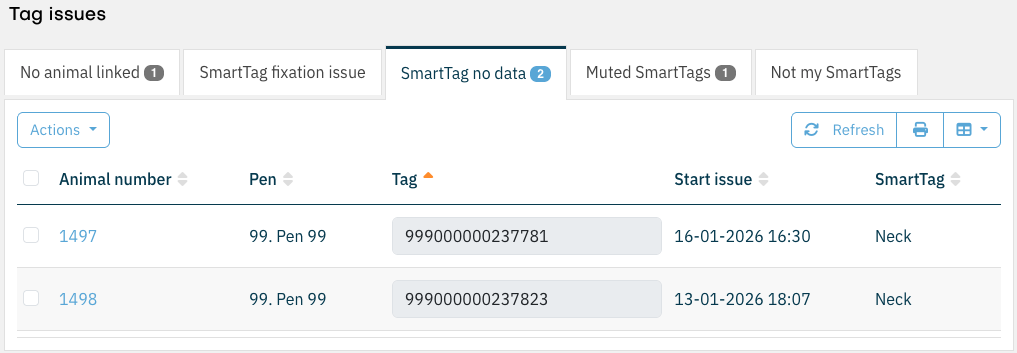
The tag issues page tabs now show the number of tag issues on that tab.
The time shown in the list on the Not My SmartTag tab of the Tag Issues Overview page was displayed with millisecond precision, even though the milliseconds were always zero. This was unclear and unnecessary. The time is now displayed using the time format configured by the user.
The legend on the Tag Statistics Report page was incorrectly positioned at the bottom of the page instead of at the top. This has been corrected.
On the Animal Attention Page, there is a filter called “Hide animals on specific location” that can be enabled or disabled using a toggle. Below this main toggle are additional toggles for filtering specific locations. When the main toggle was turned off, the underlying toggles remained active. This issue has been resolved.
Cow Locating
When a Cow Locating system was calibrated using multiple calibration responders simultaneously, and each calibration responder had been assigned a specific colour, all calibration points were displayed in black on the map instead of in their assigned colours. The colours are now displayed correctly.
Nedap MilkingControl
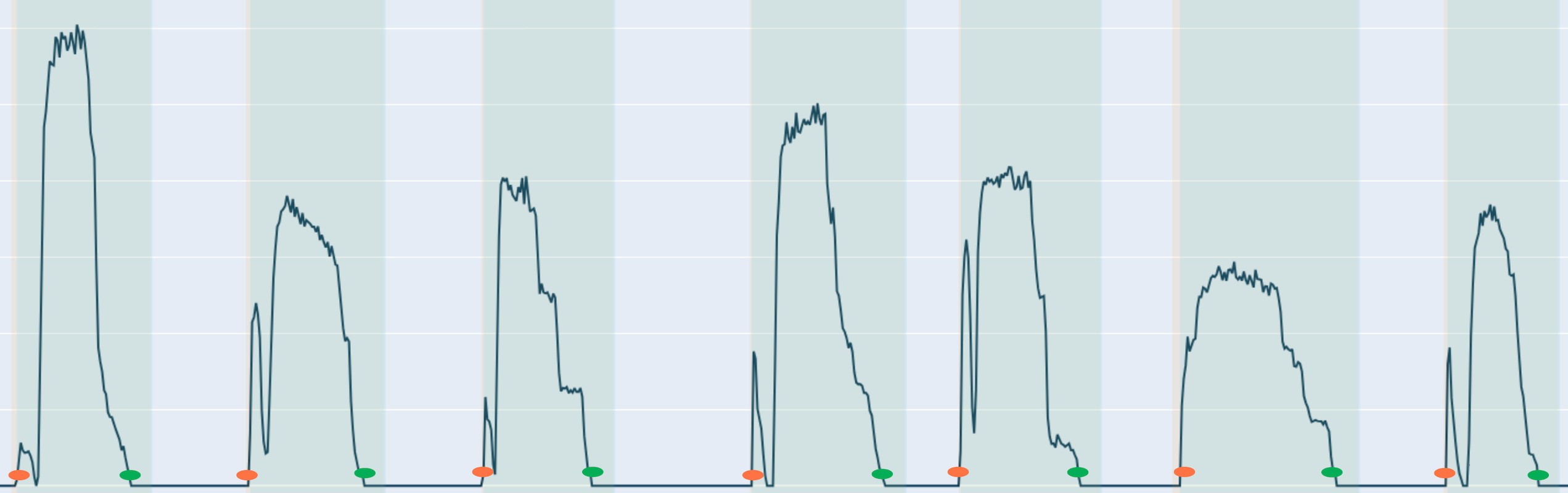
Currently, there are three ways to start and stop a milk yield measurement using SmartFlow: via an InTouch device, via the MQTT interface, or via the Velos .NET interface (deprecated). When InTouch devices are used, the receipt of start and stop signals is guaranteed, as this is fully integrated into the Nedap milking solution. However, when no InTouch device is present, this guarantee does not apply.
To ensure that milk yield measurement is not dependent on external factors, Nedap now introduces SmartFlow Sensing. With SmartFlow Sensing, the Nedap system itself detects when a measurement starts and stops. If an animal is detected at the relevant milking position during this period, the milking is automatically assigned to that animal.
SmartFlow Sensing makes it possible to use SmartFlow in any milk parlour without interfering in the milking process. SmartFlow Sensing also functions in environments where external start and stop signals are used for milking. If a signal is missing, SmartFlow Sensing will automatically correct this.
An issue has been resolved that previously made it impossible to create a second rotary parlour within a single Velos system.
Added a Help-button on several milking related pages.
General
Nedap constantly updates the software to prevent security vulnerabilities. In this version some 3rd party libraries have been updated because of vulnerability.
It is now possible for third parties to fully automate MQTT client authentication with the Velos MQTT broker, including automated certificate renewal. Velos provides a new API endpoint, /certificates/sign, where clients can submit a Certificate Signing Request (CSR) and receive a signed certificate in return. This certificate can then be used to authenticate an MQTT client with the Velos MQTT broker.
An issue has been resolved on the Nedap Now status page. It was previously possible to schedule an unlimited number of imports to synchronize data in Velos with the current Nedap Now status, which could unnecessarily overload Velos. From now on, if an import is already running, only one additional import can be queued.
The date and time could not be changed on the SmartSight controller (Jetson). This issue has been resolved.
Firmware
New firmware has been added for the following V-Packs:
VP1801 v3.12.10
Security updates.
Minor fixes
VP1801-B gives an error when TagReader didn't start.
Fixes for reading InTime SmartTags.
Fixes for status led indicator for Nedap SmartSort.
Fixes for bug in logfiles.
VP4201 v1.03.07
Improved handling for the initial setting of the frequency from the BC
Continue led behavior by the beacon after a blinking command from a Velos BC page.
System requirements
VPU
All VPUs in the installation, both main and secondary, must be a VP8002 or a VP8621.
Velos version
An installation needs to run on version 2024.1.SR4 or newer to be able to update to this version. Make sure to update to version 2024.1.SR4 first before installing this version.
Taurus
This Velos version is compatible with Taurus 6.x.x.x for all integrations. Taurus with build numbers 5.x.x.x are deprecated and therefore it is advised to use the latest Taurus 6.x.x.x.x
When using Taurus for a DelPro integration this Velos version is only compatible with Taurus 2024.1.1 (5.147.25.0)
For all other integrations this Velos version is compatible with Taurus 2020.1 (5.101.7.0) up to and including Taurus 2024.1.1 (5.147.25.0)
Supported browsers:
Google Chrome
Microsoft Edge
Apple Safari
Mozilla Firefox