- DATE:
- AUTHOR:
- Nedap Livestock Management

Velos 2026.4 Dairy Farming
These are the release notes of the next version of Velos that is going to be released soon. The expected release date for this version is November 23, 2026.
This Nedap Velos software version contains new and improved functionalities that provide new solutions, add valuable options to existing solutions and further increase the ease of use of Velos.
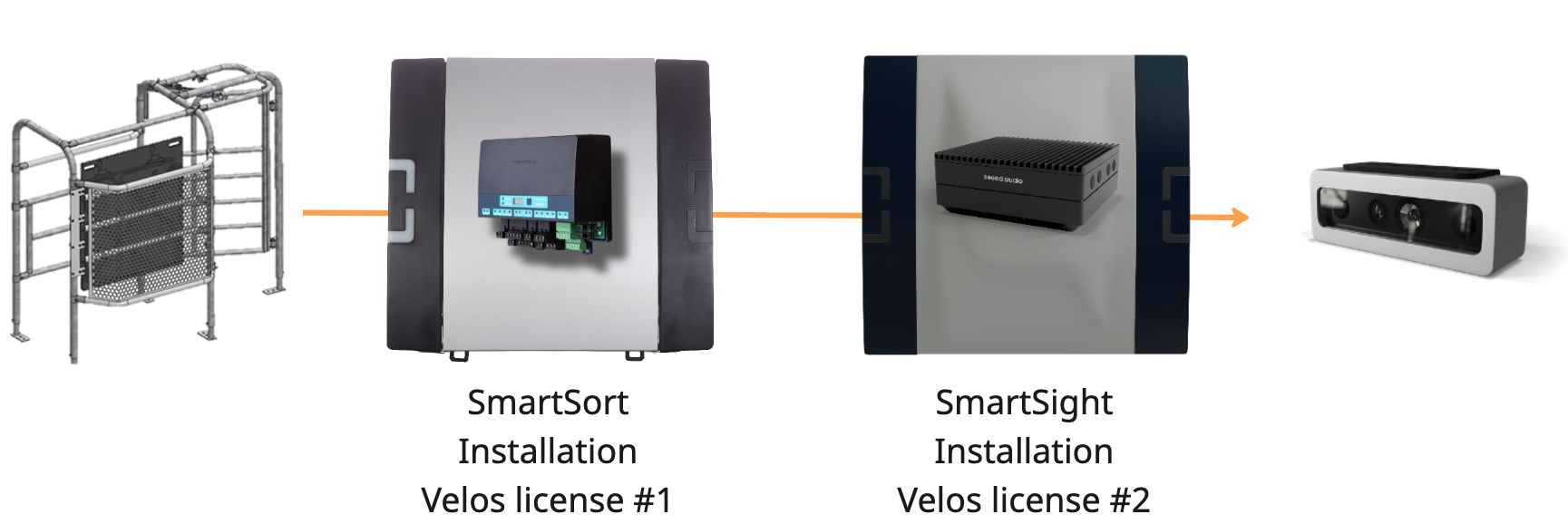
SmartSight: Use the SmartSort antenna for animal identification
Farms with an existing Velos installation equipped with SmartSort can now use the SmartSort antenna to identify animals for SmartSight as well. When adding SmartSight, the existing antenna can serve both systems, eliminating the need for a separate identification antenna for SmartSight.
This makes it easier to expand an existing installation with SmartSight while keeping the additional hardware investment to a minimum.
SmartFlow Sensing: Improved washing detection
The SmartFlow Sensing algorithm automatically detects washing, but cannot detect an initial cold-water wash cycle. As a result, small milk yields could be incorrectly recorded during this cycle.
The Wash controller behaviour component now supports SmartFlow Sensing. It can be added to a SmartFlow Sensing installation and connected to the washing system to indicate when washing is in progress. No milkings are saved while either the Wash controller behaviour component or the cleaning validation algorithm indicates that cleaning is active.
Updated help button links
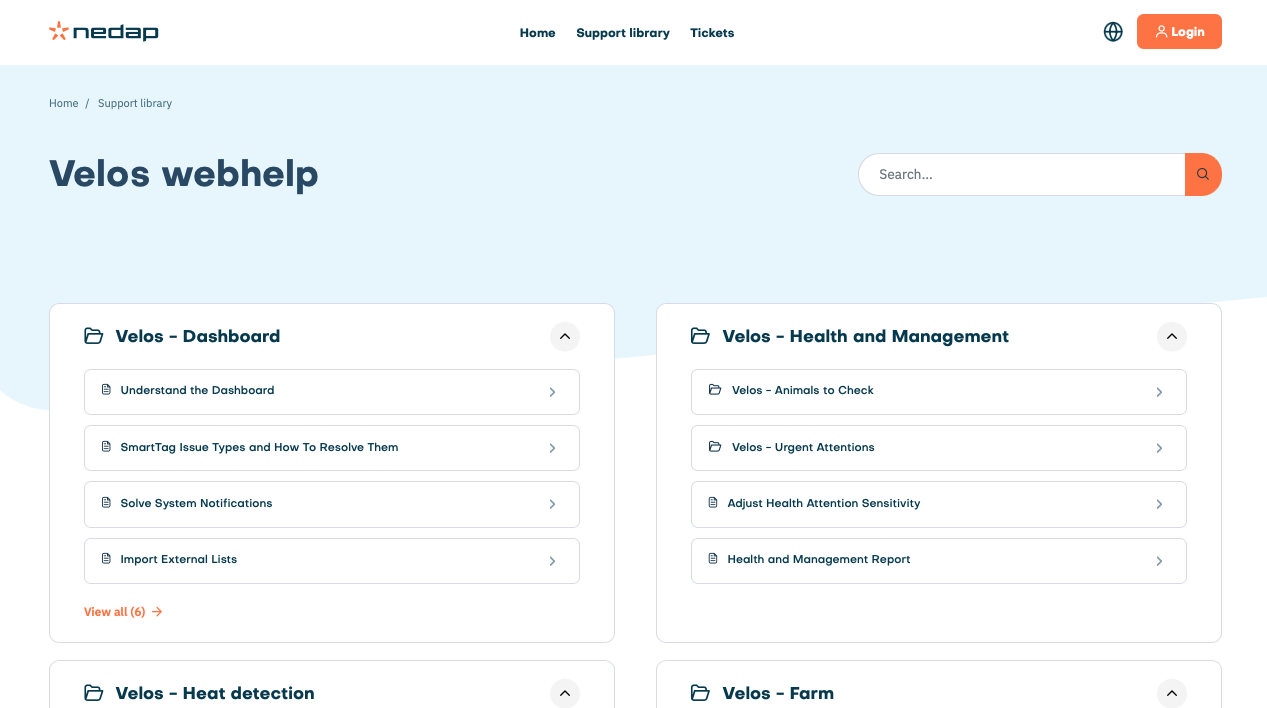
The help buttons in the Velos user interface now redirect immediately to the correct page of the Velos webhelp to help users find the information they need more easily.
Improvements
SmartSort improvements
Improved the identification with mixed FDX and HDX tags. On farms using both FDX and HDX tags, SmartSort could take too long to switch to a responder still detected by an antenna, or incorrectly activate an older responder on another antenna. SmartSort now keeps the most recently detected responder that is still present active across all connected antennas. If that responder disappears, it immediately switches to the most recently detected remaining responder. The configured ID caching time is applied only when no responders are detected by any antenna.
Extra Power is now enabled on all SmartSort systems equipped with a VP6060 side panel to optimize ear tag detection performance.
SmartSort: automatic antenna tuning after startup or reconnection. The SmartSort behaviour component now automatically tunes the antennas when the component restarts or the VP1801 is detected or reconnected. This ensures the antennas are tuned if environment conditions change, e.g. after installing shielding around the antenna.
Velos updates: preparation for device-specific update files
Until now, each Velos update file has included software for all supported VPU types, currently the VP8002 and VP8621 (SmartSight). As support for more devices is added, this file will continue to grow, even though an installation often only needs an update for one VPU type.
The update process is being adapted to use a separate update file for each device type. A Velos installation will download only the files it needs, reducing download sizes and keeping updates manageable as more devices are supported.
This release prepares installations for the new update process. All installations must first be updated to this version before any future Velos version can be installed.
VP8621: Yocto-based build process for long-term maintenance
The Velos/Linux software for the VP8621 is now built using Yocto. This provides a consistent and reproducible build process, supporting long-term maintenance and future software updates as the number of deployed VP8621 systems continues to grow.
SmartFlow: faster and more accurate calibration calculation
The SmartFlow calibration calculation has been significantly improved, delivering faster results with greater accuracy.
MQTT authentication: longer root CA validity
The root Certificate Authority (CA) used for MQTT client authentication now has a validity period of 50 years, replacing the previous one-year period. This provides a long-term foundation for issuing and renewing client certificates through the existing API.
Action required after updating: This change invalidates all existing MQTT client certificates. All clients must obtain a new certificate before they can reconnect to the Velos MQTT broker.
Client certificates remain valid for one year and must still be renewed annually. Third-party integrations can continue to automate this renewal.
Small improvements and fixed issues
The “Sorted animals” and “Animals to sort” tabs on the Sorting overview page now include buttons to export the lists to Excel and CSV, alongside the existing print option.
Fixed an issue where daily and weekly sorting rules did not add an animal back to “Animals to sort” after it had been sorted during an earlier occurrence when “Repeat in sorting period” was disabled. The animal is now listed again for each new daily or weekly occurrence and can be sorted once during that period.
A wrong-pen attention could remain open when an animal’s location was manually changed to the pen where it was last detected. The attention is now cleared immediately when the home location matches the last detected pen, without requiring a new detection of the animal.
Fixed an issue that prevented milk separation from being enabled through Parlor Monitor for animals without existing milk settings, such as youngstock that had never calved or been milked.
Fixed an issue where accumulated milk data could exceed the 1 MiB request size limit when uploaded in larger batches after an internet connection interruption. Upload batches now stay within the size limit so queued milk data can be sent successfully.
Fixed an issue where consecutive milkings of animals in the same production group at the same milk place could cause the animal number to disappear from InTouch and Parlour Monitor. This occurred when two milking sessions started within the same 15-minute interval.
Fixed an issue where buffered milking data could be permanently lost after a temporary database failure. Unsaved milkings and changes are now retained for retry instead of being discarded.
Fixed an issue that allowed users with view-only permission to upload a new environment map in the cow locating system.
Fixed an issue where clicking the expand button during calibration also placed a calibration point.
Fixed an issue where the delete bar remained visible after deleting a calibration point during calibration.
Fixed an issue where the feed plan page failed to load when there was a feed plan with a special character like '<' in the name.
Fixed an issue that caused the feed plan page to crash when obsolete condition feed corrections remained in the database. These corrections were not properly removed by an earlier update.
In case an incorrect Taurus file is provided the response file now gives better information about the lines that contain errors and what these errors are.
If a Taurus import contains lines with feeding data and/or separation rules for animals that do not exist in Velos then these lines are now ignored. This fix is available in Taurus 6 only.
Animals receiving feed data as a result of a Taurus import are now correctly set to a fixed feeding curve. This fix is available in Taurus 6 only.
Fixed an issue where firewall rules prevented the SmartSight IP camera from being detected.
Fixed an issue that prevented the root location from being renamed.
The label on the calendar event edit page has been changed from “Date” to “Date/time”.
Fixed an issue that caused data import to fail when animal user numbers were swapped in Nedap Now while the VPU was powered off. Velos now correctly imports these changes when the VPU restarts.
Fixed an issue where manually entering a date could retain the previously selected time. Across all date/time pickers, entering a valid date without a time now uses the current time when saving.
Fixed an issue where Velos displayed in English for Business Insight users, regardless of the language configured in Business Insight for that user.
Fixed an issue where the update button under Maintenance > Update was enabled without an update file selected. The button now remains disabled until a file is selected.
Fixed an issue that prevented an unconfigured VP8002 from appearing under Network in Windows Explorer.
Fixed an issue where the V-pack overview page displayed an incorrect IP address for secondary VPUs.
Fixed a rare timing issue during serial bus initialization that could prevent the bridge and connected CAN devices from being detected after a reboot.
The database with timezone information has been updated.
Fixed an issue where CAN device discovery could fail after repeatedly submitting date/time settings.
Fixed an issue where the V-Pack power overview page continued to display the previous CAN V-in voltage and current after power input 1 was disconnected.
Fixed an issue where the Service User Recovery page appeared before Velos had finished starting and could not be used. The boot page is now shown during startup, followed by the recovery page if no service user exists.
Non-administrator users attempting to install an older Velos version could incorrectly receive a message stating that the version was unsuitable for the VPU. The message now correctly indicates that downgrading is not allowed.
Nedap constantly updates the software to prevent security vulnerabilities. This version fixes various security related issues.
System requirements
VPU
All VPUs in the installation, both main and secondary, must be a VP8002 or a VP8621.
Velos version
An installation needs to run on version 2024.1.SR4 or newer to be able to update to this version. Make sure to update to version 2024.1.SR4 first before installing this version.
Taurus
This Velos version is compatible with Taurus 6.x.x.x for all integrations. Taurus with build numbers 5.x.x.x are deprecated and therefore it is advised to use the latest Taurus 6.x.x.x
When using Taurus 5 for a DelPro integration this Velos version is only compatible with Taurus 2024.1.1 (5.147.25.0)
For all other Taurus 5 integrations this Velos version is compatible with Taurus 2020.1 (5.101.7.0) up to and including Taurus 2024.1.1 (5.147.25.0)
Supported browsers:
Google Chrome
Microsoft Edge
Apple Safari
Mozilla Firefox
Tickets: 62578, 67452, 71752, 72054, 72067, 75777, 76214, 76221, 77156, 77270, 77332, 77399, 77620, 77621, 78275, 78549, 78634, 78801, 79033, 79090, 79091, 79322, 79356, 79560, 79858, 79882, 80552, 80758, 81054, 81125, 81223, 81229, 81428, 81429, 81590, 81592, 81697, 81705, 81731, 81732, 81751, 81784, 81806, 81861, 81909, 81932, 82041, 82049, 82055, 82092, 82093, 82095, 82125, 82152, 82182, 82223, 82225, 82248, 82337, 82444, 82482, 82504, 82529, 82622, 82624, 82640, 82641, 82690, 82721, 82756, 82915, 82923, 82925, 82931, 83042, 83073, 83242, 83249, 83252, 83279, 83384, 83403, 83430, 83543, 83550, 83559, 83614, 83673, 83710, 83730, 83734, 83818, 83839, 83874, 83877, 83917, 83973, 84023, 84037, 84129, 84201, 84203, 84204, 84227, 84238, 84301, 84304, 84342, 84346, 84396, 84513, 84559, 84564, 84594, 84631, 84681, 84682, 84892, 85036, 85232, 85240, 85313, 85390, 85440, 85502, 85562, 85741, 85768, 86019, 86056, 86105, 86242, 86392, 86490, 86531, 86564, 86591, 86613, 86709, 86730, 86760, 86763, 86782, 86786, 86804, 86848, 86857, 86977, 86978, 87043,
Security related tickets 70340, 82505, 82611, 82612, 82613, 82634, 82797, 83001, 83003, 83004, 83005, 83006, 83007, 83065, 83121, 83122, 83158, 83339, 84510, 87036.